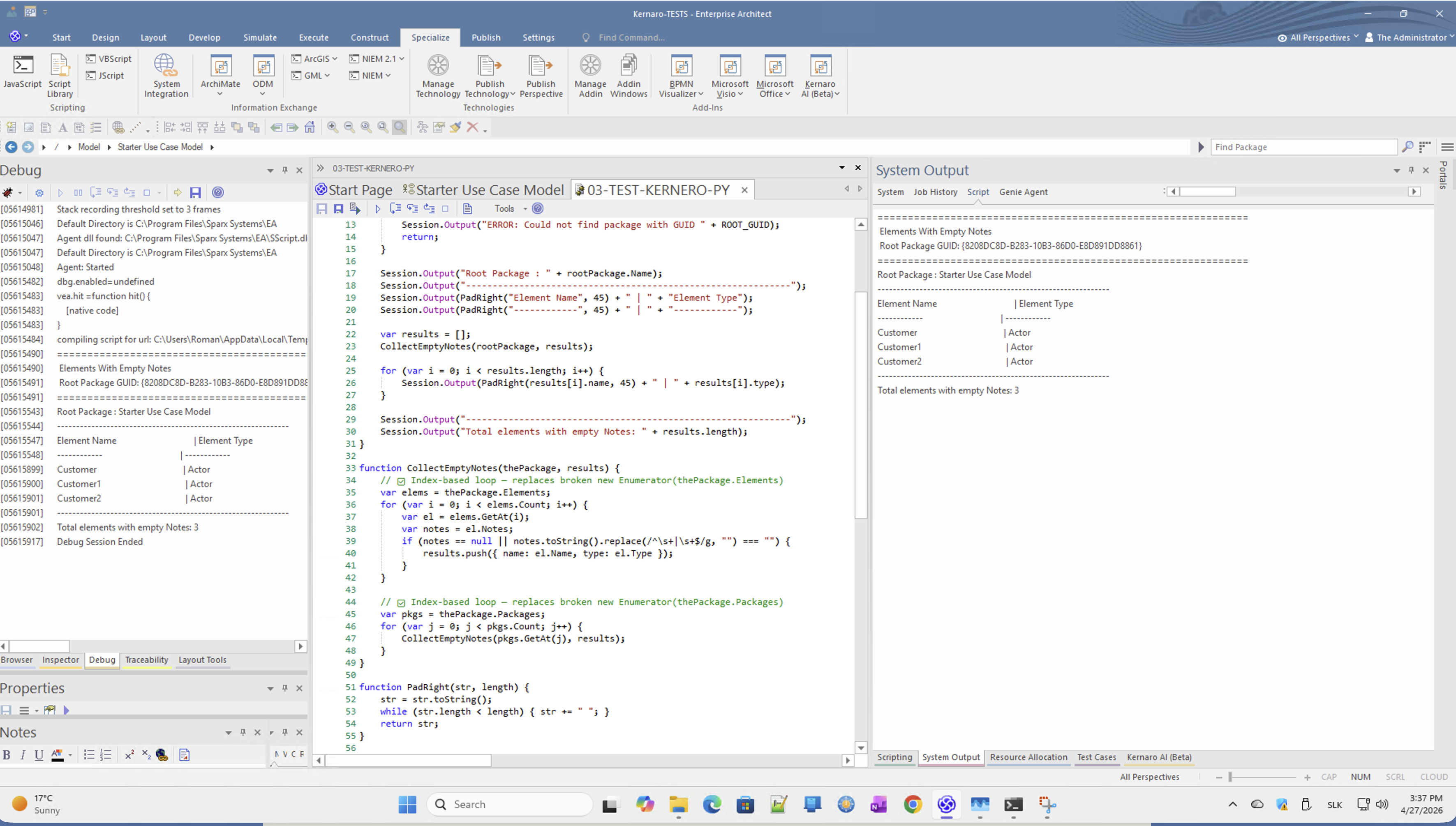
D – JavaScript in EA Script Manager
Note: EA Script Manager supports JavaScript (not to be confused with Java). In this test, Kernaro's Script Agent generated JavaScript code – Python was not executed.
D1 · What was tested
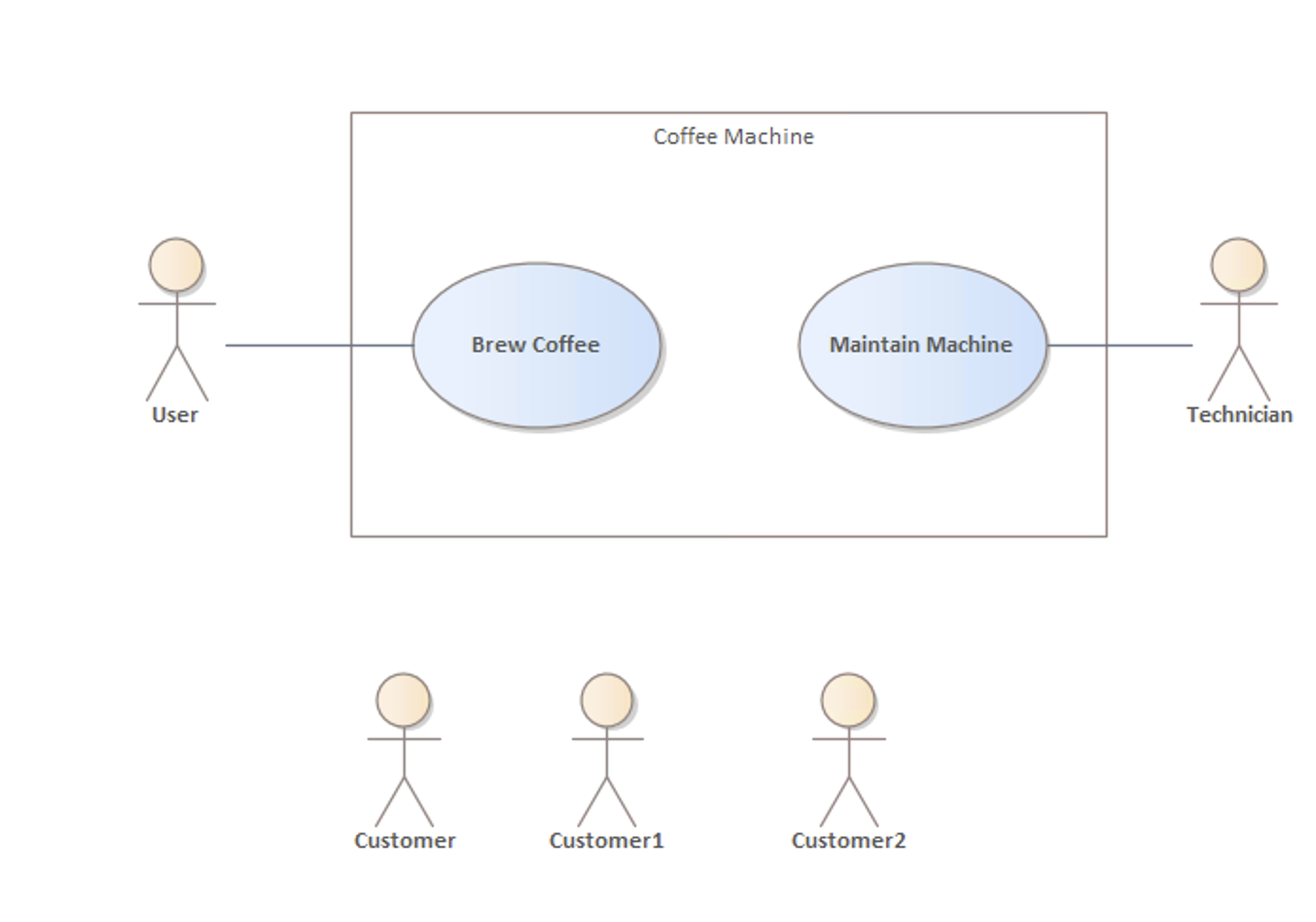
Scenario: List all elements in a given package that have an empty Notes field.
Approach:
- Request sent to Kernaro Chat with GUID scope
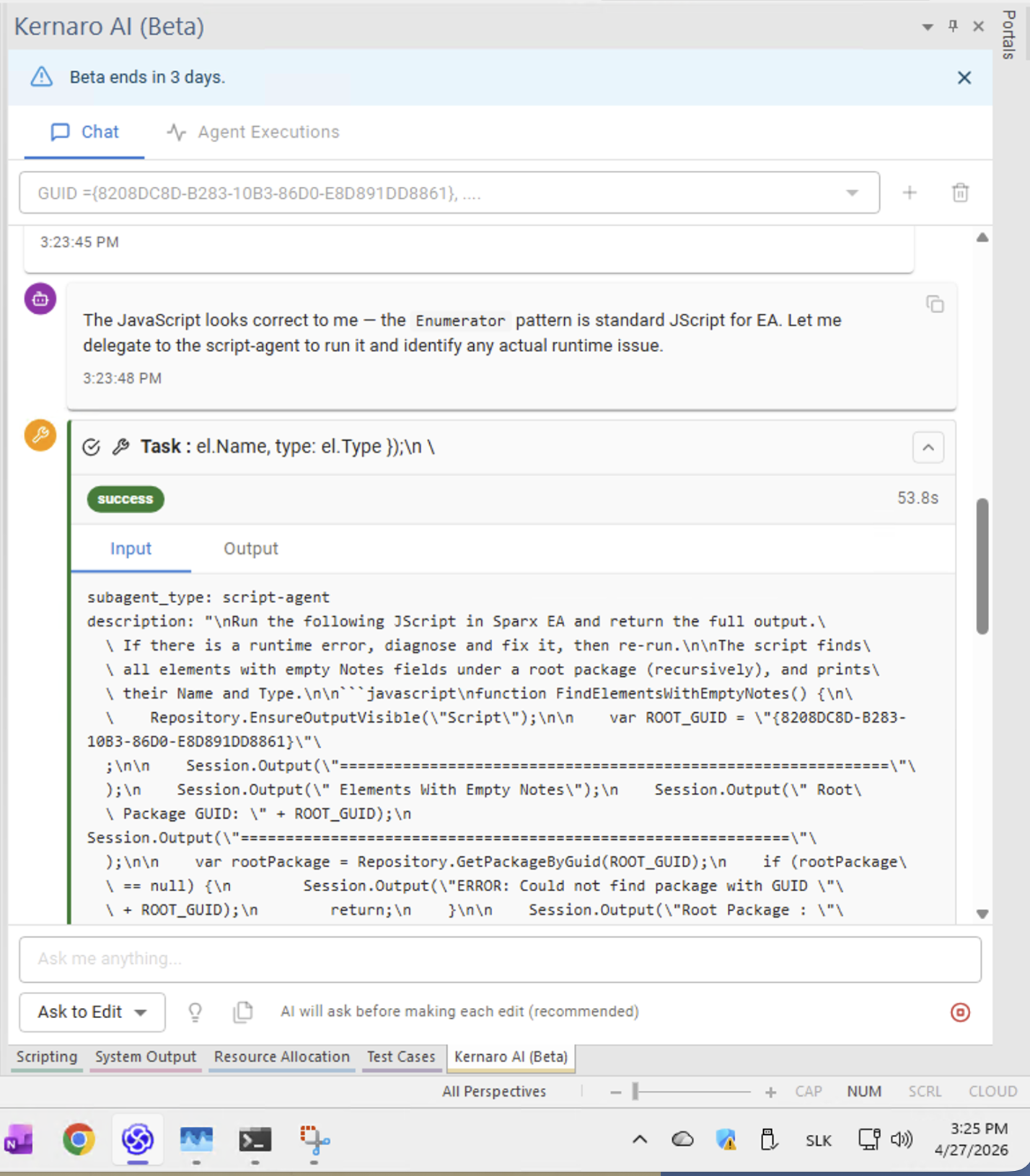
- Kernaro Script Agent generated JavaScript code
- Code was manually copied to EA Script Manager and executed
- Errors were identified and resolved with Kernaro's assistance
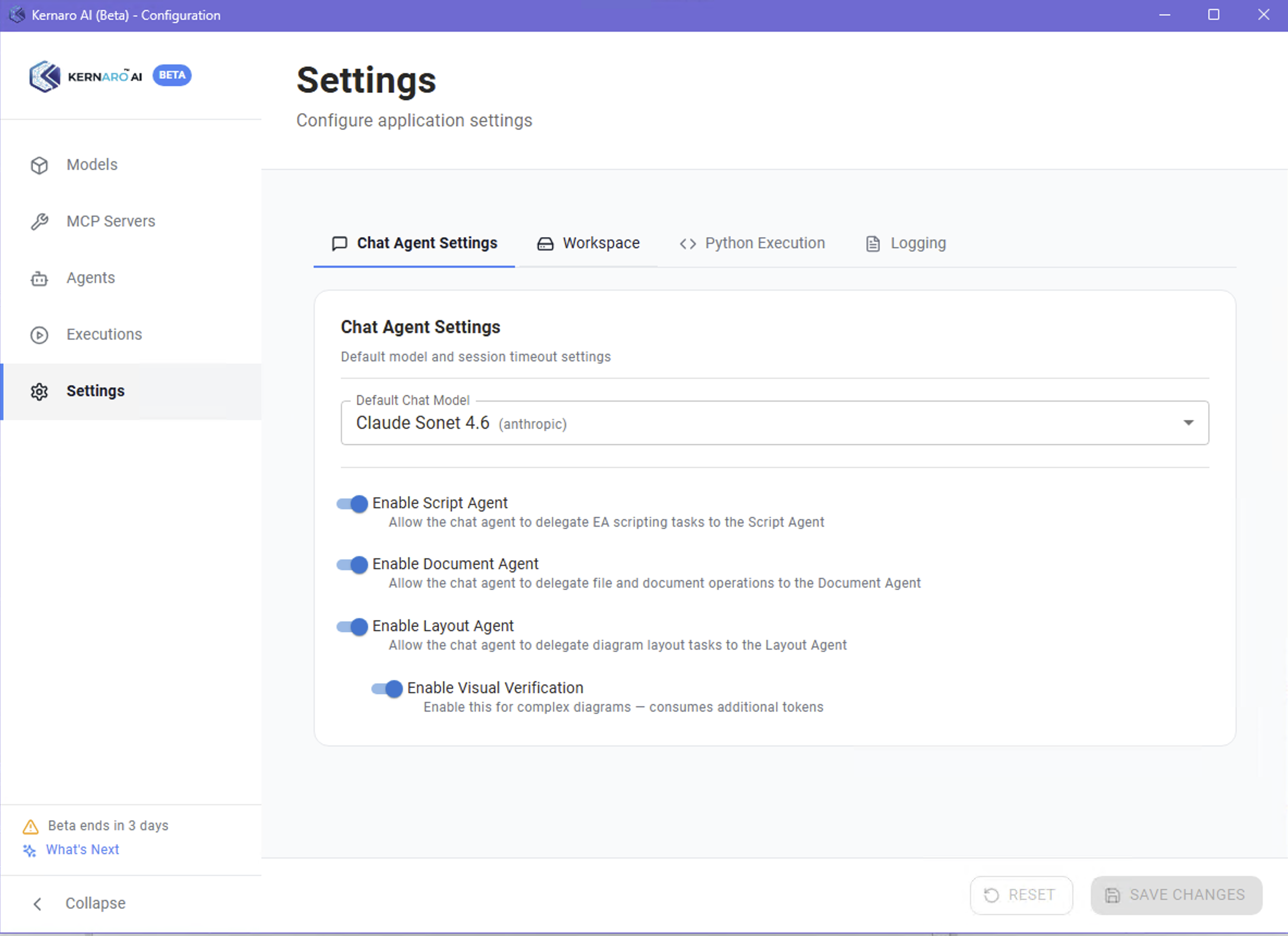
Python Execution was NOT tested. Although Python 3.12 was configured and validated in Kernaro Settings, the Script Agent chose JavaScript for this use case. Python execution via Kernaro remains to be evaluated.
D2 · Script generation via Chat
Query sent to Kernaro:
GUID ={8208DC8D-B283-10B3-86D0-E8D891DD8861}. Using Python,
list all elements in the root package defined by GUID
that have empty Notes field. Show element name and type.
Result: Kernaro generated JavaScript (not Python as requested). The code was presented in chat with instructions to run it manually via Specialize → Scripting.
Finding D2-1 – Language instruction not respected:
When explicitly asked for Python, the Script Agent generated JavaScript. This may be intentional (JavaScript is natively supported in EA) but conflicts with the explicit user instruction.
D3 · Enumerator hallucination
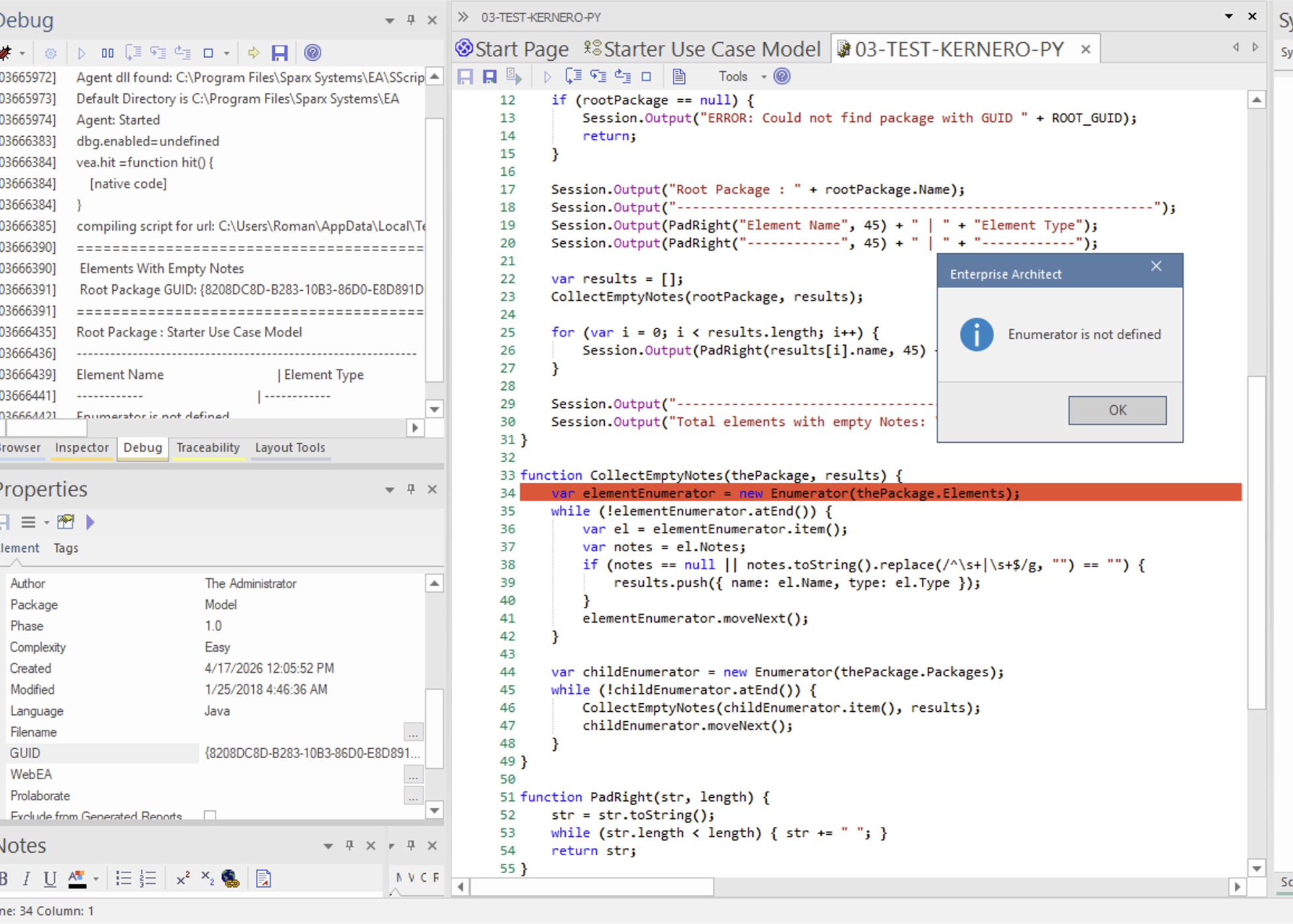
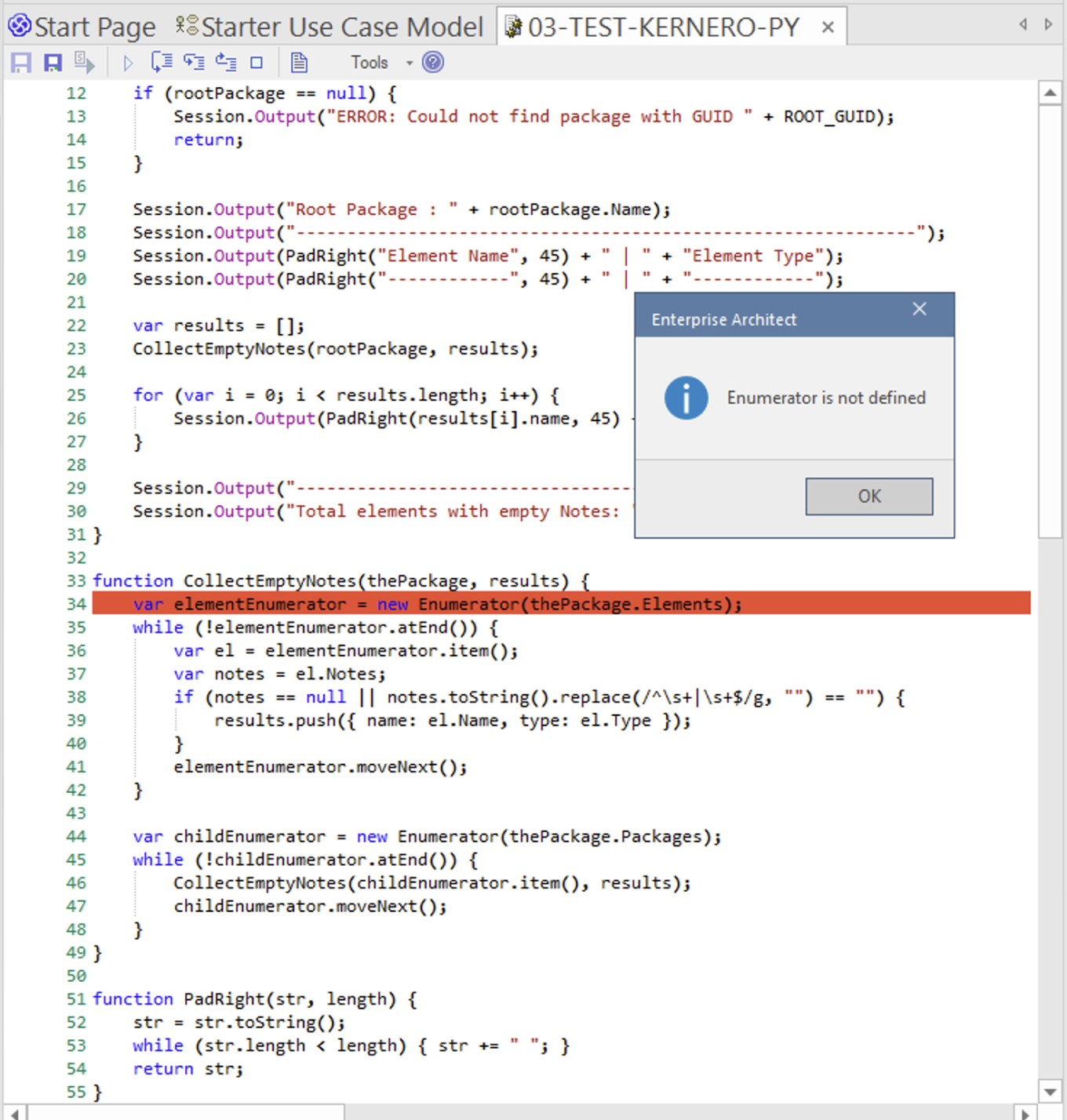
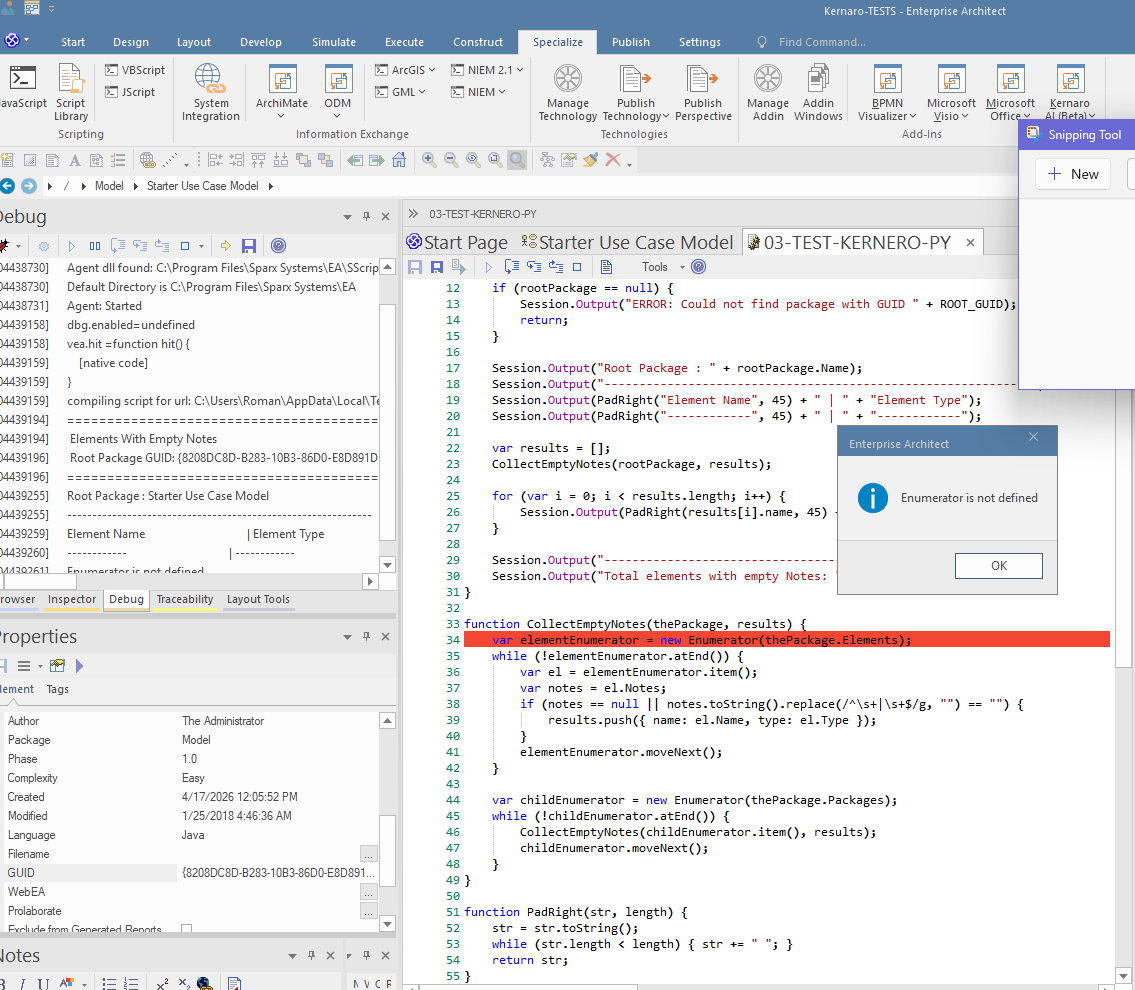
Kernaro generated code using new Enumerator() – a syntax from Internet Explorer / WSH environments that is not supported in EA's JavaScript engine.
Generated (broken):
var elementEnumerator = new Enumerator(thePackage.Elements); // ❌
while (!elementEnumerator.atEnd()) {
    var el = elementEnumerator.item();
    // ...
    elementEnumerator.moveNext();
}
EA error: Enumerator is not defined
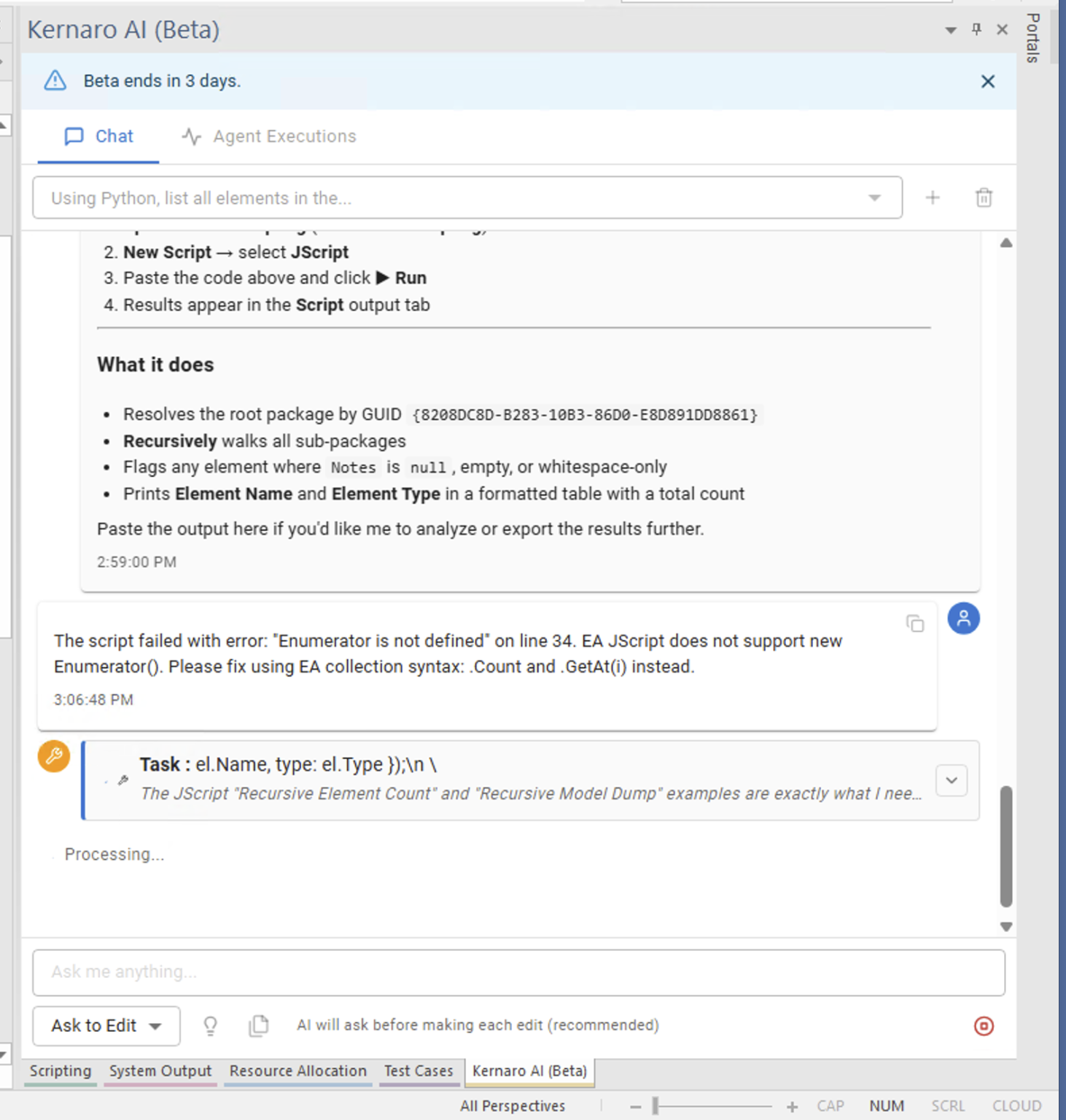
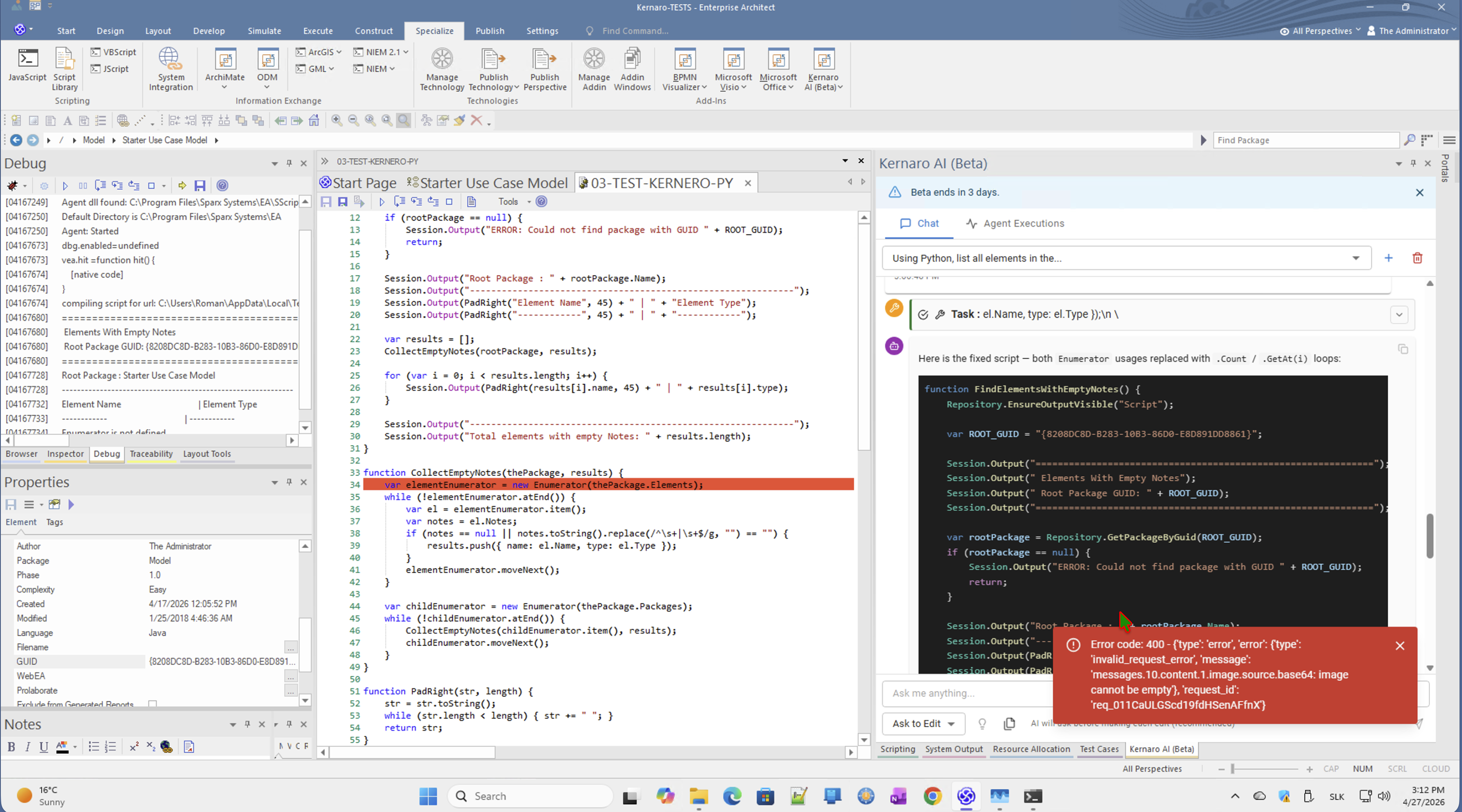
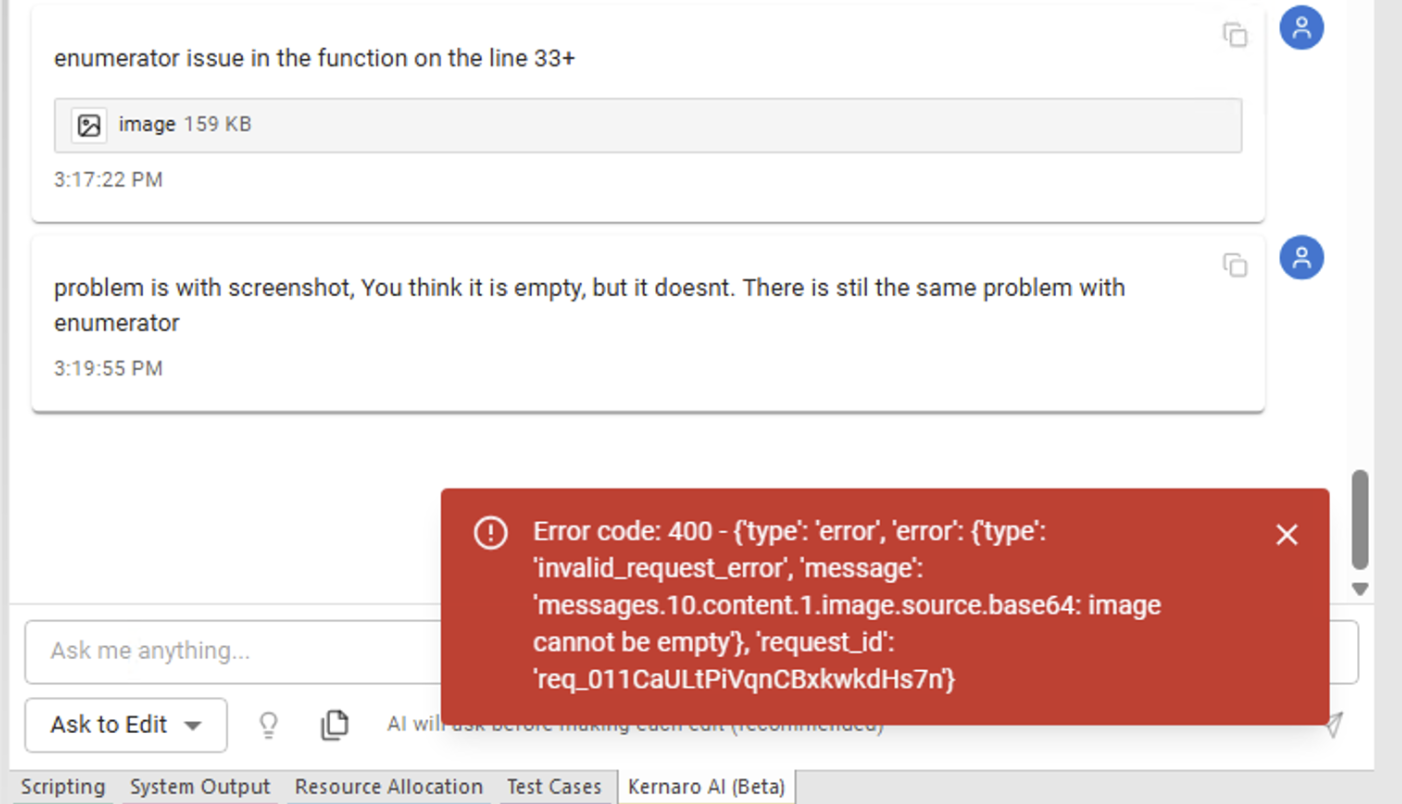
Kernaro was informed via chat with the error message text. After correction request, the agent regenerated the same broken pattern. The fix was applied manually.
Correct EA JavaScript syntax:
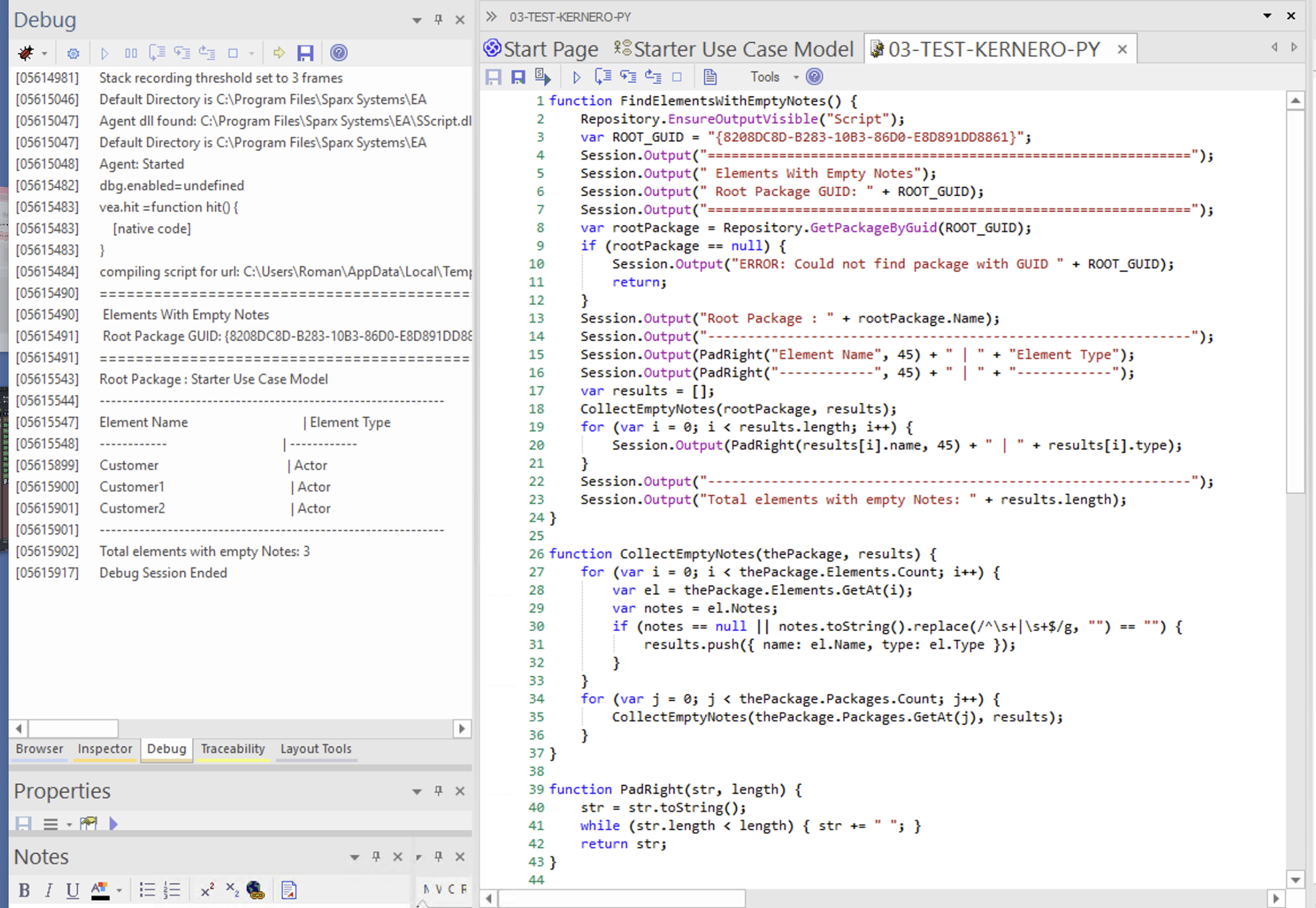
for (var i = 0; i < thePackage.Elements.Count; i++) {
    var el = thePackage.Elements.GetAt(i); // ✅
}

for (var j = 0; j < thePackage.Packages.Count; j++) {
    CollectEmptyNotes(thePackage.Packages.GetAt(j), results); // ✅
}
Finding D3-1: Kernaro repeatedly regenerates new Enumerator() even after explicit correction. This is a training data issue – EA JavaScript uses COM collections with .Count / .GetAt(), not WSH Enumerator objects.
D4 · Debugging with Kernaro assistance
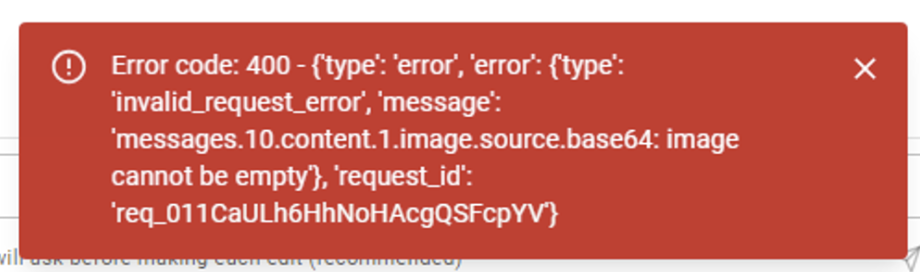
Although Kernaro could not automatically execute the script or directly fix the error after seeing a screenshot (clipboard image was rejected – see E – Findings, the workflow was:
- Run script in EA → error appears in Debug output
- Copy error text to Kernaro Chat
- Kernaro provides corrected code
- Manually replace in Script Manager and re-run
This iterative approach worked and is a valid workflow for script development.
D5 · Successful output
After applying the correct EA JavaScript syntax, the script produced the expected result:
Elements With Empty Notes
Root Package: Starter Use Case Model
=====================================================
Element Name                                  | Element Type
----------------------------------------------|--------------
Customer                                      | Actor
Customer1                                     | Actor
Customer2                                     | Actor
-----------------------------------------------------
Total elements with empty Notes: 3
D6 · Script Manager vs Kernaro Agent – clarification
| EA Script Manager | Kernaro Agent | |
|---|---|---|
| Execution | Manual (user clicks Run) | Automatic (event trigger) |
| Storage | Script Library in model | Kernaro internal |
| Language | JavaScript / VBScript | LLM-generated, runs via Kernaro |
| Write to model | Via EA API directly | Via approved Kernaro tools |
| Use case | Batch, on-demand | Governance, quality gates |
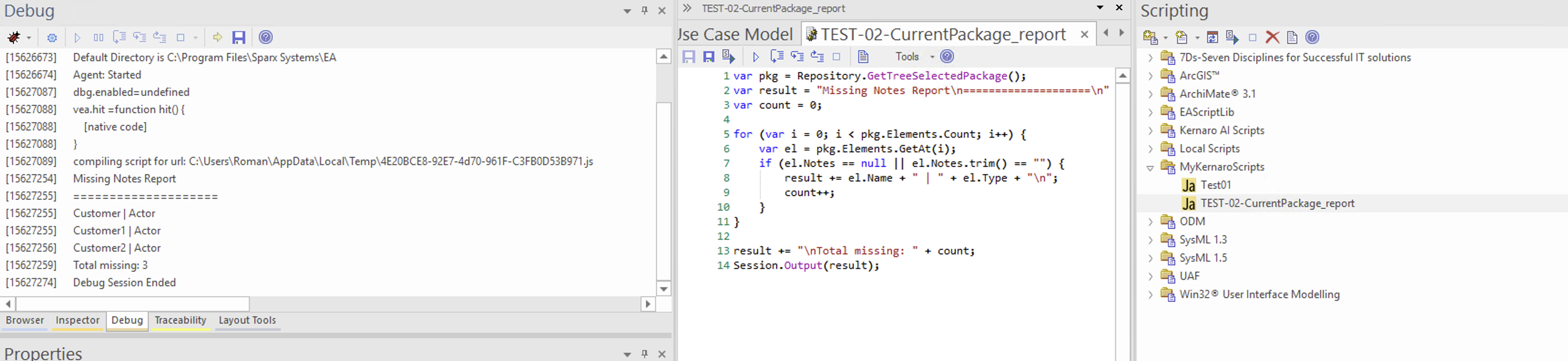
Scripts saved to Script Library are independent from Kernaro Agents. They serve different purposes.
← Back to index | → E – Findings
Images
[IMG-01]
[IMG-02]
[IMG-03]
[IMG-04]
[IMG-05]
[IMG-06]
[IMG-07]
[IMG-08]
[IMG-09]
[IMG-10]
[IMG-11]
[IMG-12]
[IMG-13]
[IMG-14]